

For personal trainers
See what your clients eat, meal by meal.
Your clients log meals in their own GymTribe app. You see each one by date, with its photo, calories, macros and items, next to the targets you set.




How it works
From their plate to your review.
Clients log as they eat. You open the day, check the meals and adjust what comes next.
Pick a date to see who logged meals and how each client's calories compare with their target. No asking for screenshots of a food diary.
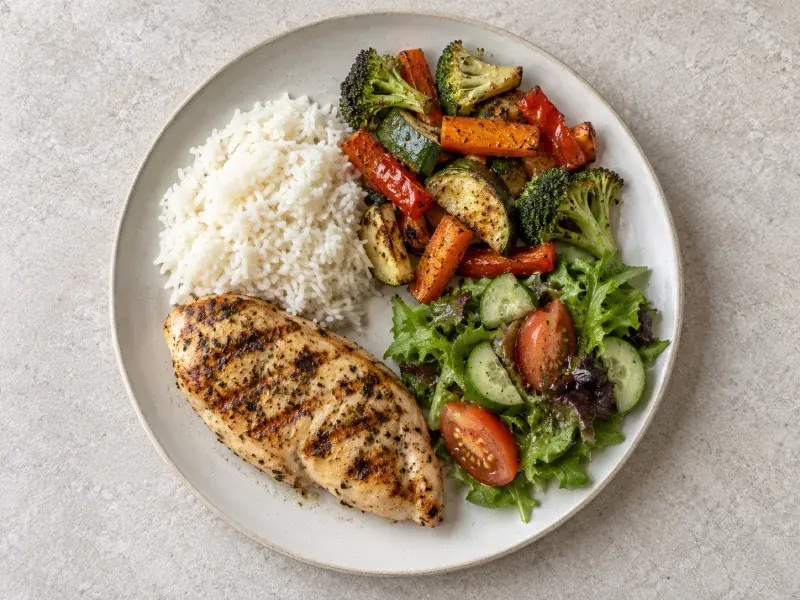
Each meal shows the client's photo, its total calories, protein, carbs, fat, fiber, sodium and sugars, and every item in it, so you can see what made up the day.
Set each client's calorie, macro and water goals, set reminders for them, and send a push notification whenever they need one.
Build a diet for a client, keep reusable meal plans with recipes, and use templates for days you repeat.
Type a dish and a portion, such as "chicken pasta, 200 g", tap Fill with AI, and the ingredients, quantities and nutrition fill in for you to review before saving.
Clients choose whether to share food tracking and activity (steps, sleep and water). You see data from the invite date unless they choose to share all previous data.





 Sharing with Coach Maya
Your clients don't pay
Start with one client on Trainer Free.
Clients you coach use GymTribe without a subscription, and their AI meal analyses come out of your plan. Trainer Free covers 1 client; paid plans cover up to 5, 25 or 60.
Client food tracking questions
What trainers see of a client's food in GymTribe, and what clients control.
How can I see what my clients eat?
Invite them to GymTribe with a QR code or a link. When a client shares food tracking with you, the meals they log appear in your Coach view by date, against the targets you set.
Do my clients need to send me photos or screenshots?
No. Clients log meals in their own GymTribe app, by photo, barcode, catalog search or by hand, and you open them in Coach.
What do I see when I open a client's meal?
The client's photo of the meal if they took one, its total calories, protein, carbs, fat, fiber, sodium and sugars, and each item in the meal.
Can I see a client's meals from before they joined?
By default you see data from the invite date. A client can choose All previous data to share their earlier history as well.
Can a client keep some data private?
Yes. Food tracking, activity, workouts and supplement routines each have their own sharing choice, and a client can keep any of them private.
Can I see my clients' steps and sleep?
Yes, if the client shares activity. You then see their daily steps, sleep and water.
Can I change a client's calorie and macro targets?
Yes. Set each client's calorie, macro and water goals and set reminders for them.
Can I assign meal plans?
Yes. Build a diet for a client, keep reusable meal plans with recipes, and use templates for days you repeat.
Can I add foods that are not in the catalog?
Yes. Type a dish and a portion, for example "chicken pasta, 200 g", tap Fill with AI, and review the ingredients, quantities and nutrition before saving.
Do my clients have to pay?
No. Clients you coach use GymTribe without a subscription. Their AI meal analyses come out of your trainer plan's allowance while you coach them.
Is there a free plan for trainers?
Yes. Trainer Free covers 1 client, with 10 AI photo and 30 AI text meal analyses a month for that client. Paid trainer plans cover up to 5, 25 or 60 clients; the pricing page lists them.
Can a family member use this to support someone?
Yes. A family caregiver can use the same coaching tools to invite someone, see the meals they share and adjust their targets.
Is there an iPhone app?
It is coming soon. Today GymTribe is on Android, and you and your clients use it through Google Play.