
For personal trainers
How personal trainers can review client food logs without extra admin.
Nutrition accountability usually falls apart because it takes too much manual back-and-forth. Here is how GymTribe keeps that review light for a trainer's actual coaching day.

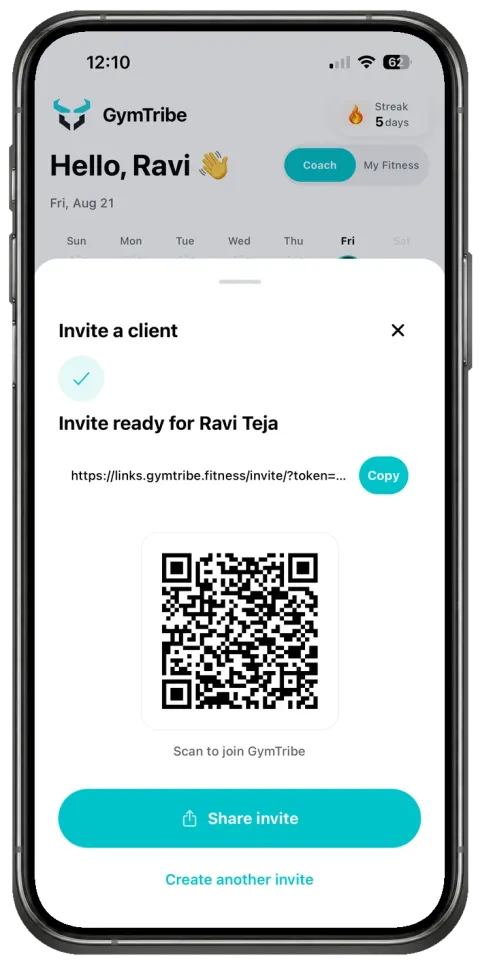
01 / Start privately
A private invitation, not a shared spreadsheet.
A client joins your coaching space through a private invitation link or QR code, not a public sign-up form. Your invitation carries your name, logo, and welcome message, so the client recognizes your coaching space from their first screen.
Sharing starts from the invitation date by default, not the client's full history. Clients choose to include earlier records and can change sharing at any time.
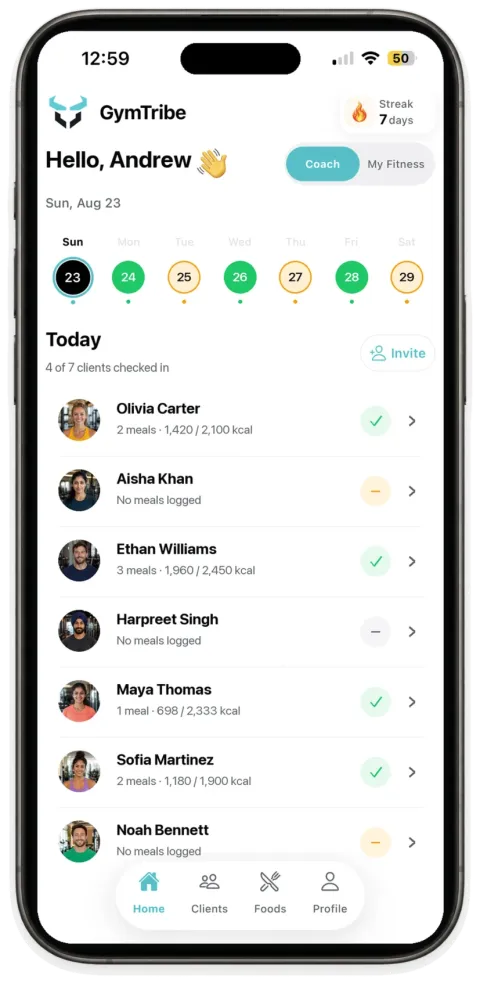
02 / Review by date
Review by date, not by chasing messages.
Instead of asking clients to report what they ate, open your coaching day view and select a date to see which clients logged meals. Open a client to review their logged meals against their current nutrition targets.
A food check-in means a meal was logged for that date, not a score or a judgment call.
03 / One workspace
What else fits into the same client context.
- Target adjustmentsChange a client's calorie or protein target from the same workspace where you are already reviewing their meals.
- Workout buildingBuild a workout with exercises, sets, reps, and rest. Clients follow the plan in their own app and log each session themselves.
What GymTribe does not do
A shared tracking space, not a clinical or messaging platform.
To be direct about the boundaries: GymTribe does not provide trainer-client messaging, prescribed or auto-generated meal plans, clinical nutrition advice, or automated risk scoring.