

AI workout planner: Tell it your week. Get a plan.
Tell GymTribe your goal, how many days a week you can train, where you train and what equipment you have. Build with AI turns that into a workout plan from the 600+ exercise library that you can edit, schedule and track.

The short answer
How does an AI workout planner work?
GymTribe's Build with AI writes a workout plan from four things you tell it: your goal, how many days a week you train, where you train, and your equipment. It picks exercises from the app's 600+ exercise library that match your equipment, sets the sets, reps and rest, and gives you the plan to review. You can change any exercise, add a day, set a schedule with a reminder, and then train it like any routine, with last time and today's target above each set.
- answers: goal, days, place and equipment
- 4answers: goal, days, place and equipment
- exercises it can choose from
- 600+exercises it can choose from
- AI-built plans a month on the free plan
- 3AI-built plans a month on the free plan
How it works
From a sentence to a routine you track.
Your goal, how many days a week, where you train and your equipment. That's enough to build from.
The plan arrives as days with exercises, sets, reps and rest. Swap an exercise, add a day, set a schedule and a reminder.
Above each set, last time and today's target, so the plan moves forward as you get stronger.
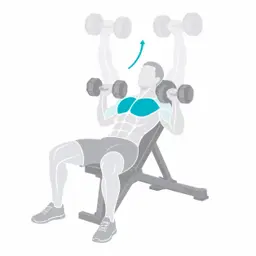
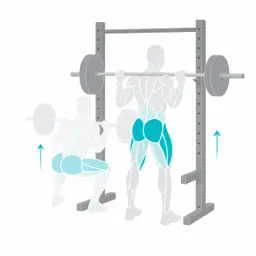
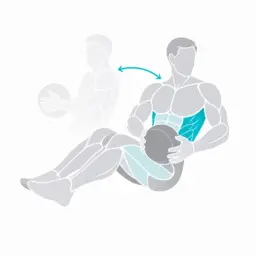
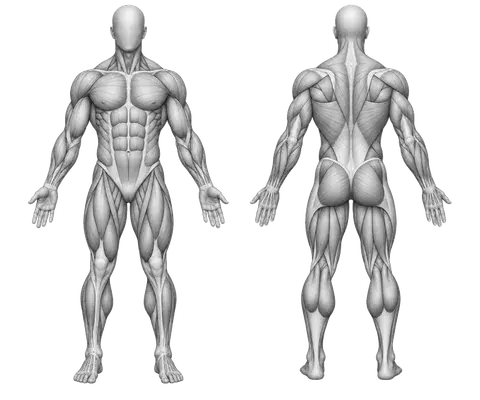
The muscle map shows which muscles your week actually trained, by sets, so gaps show up fast.








What to look for
What to check in an AI workout planner
A plan is only useful if it fits your week and you can change it.
- Fits your daysThree days a week should give you three good days, not a squeezed six-day split.In GymTribe: You choose days per week
- Uses your equipmentHome with dumbbells is a different plan from a full gym.In GymTribe: Exercises matched to your equipment
- EditableYou know your body; you should be able to swap anything.In GymTribe: Change exercises, add a day
- TrackableA plan you can't log is a PDF.In GymTribe: Saved as a routine with last time and targets
- Real exercisesEvery exercise should be one you can look up and learn.In GymTribe: Picked from the 600+ exercise library
- A scheduleTraining days and a reminder keep the plan on track.In GymTribe: Optional schedule and reminder
Also in GymTribe
One app for the rest of your week.
AI workout planner: questions
What GymTribe does, what's free and how it works.
How does the AI workout planner work?
In Workouts, tap Build with AI and answer four things: your goal, days a week, where you train and your equipment. GymTribe builds a plan from its exercise library and shows it to you to review and edit before you save it.
Can I change the plan it makes?
Yes. Swap or remove exercises, add another day, and set a schedule with a reminder before you save it. Afterwards it works like any routine you made yourself.
Can it build a home workout?
Yes. Tell it you train at home and what equipment you have, such as dumbbells or nothing at all, and it only picks exercises that match.
How many AI plans can I build?
3 a month on the free plan and 40 a month with Premium.
Does the plan get harder over time?
As you train it, each set shows last time and today's target: one more rep, or a small step up in weight once every set reached the top of the range.
Is an AI plan as good as a coach's plan?
It is a sensible starting point built around your week. A coach can see how you move and adjust for injuries and goals; if you work with one, they can assign you workouts in GymTribe too.
Is GymTribe free?
Yes. The free plan covers food logging from the catalog, by barcode or by hand, 3 AI photo and 10 AI text meal estimates a month, the 600+ exercise library, up to 4 routines of your own, 3 AI-built workouts a month, PR alerts, water, sleep, steps and weight, your daily streak, and your last 3 months of history and charts. Premium adds full history, more AI and unlimited routines; see the pricing page.
Can I log in kilograms or pounds?
Yes. Weights show in kilograms or pounds, whichever you choose in the app.
Can I share my logs with a personal trainer?
Yes, if your trainer invites you. You choose what they see: food tracking, activity (steps, sleep and water), workouts and supplement routines can each be kept private, and they see data from the invite date unless you choose to share all of it.
Is there an iPhone app?
It is coming soon. Today GymTribe is on Android through Google Play.